


PawBlock! - Sort Color Puzzle
4.937.00 Reviews
App Specs
- Version
- 1.5.0
- Updated On
- License
- Free
- Downloads
- 10,000+
- Developer
- UniRise Studio
- Categories
- Trivia
- Platform
- Android
Screenshots
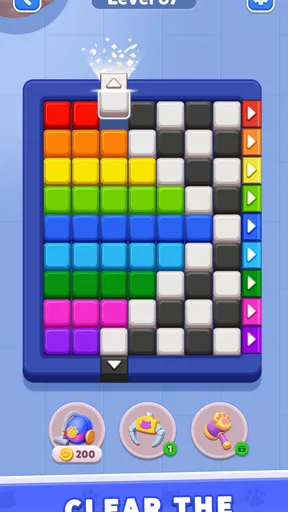
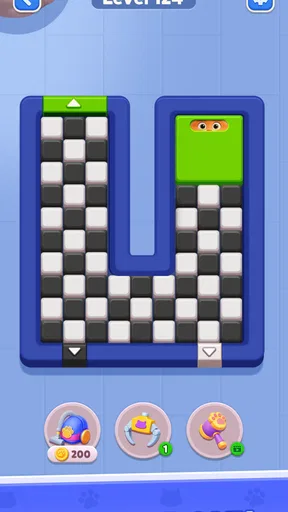
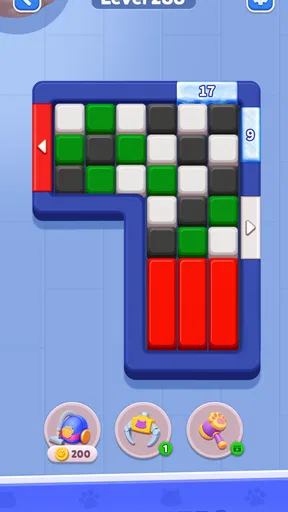
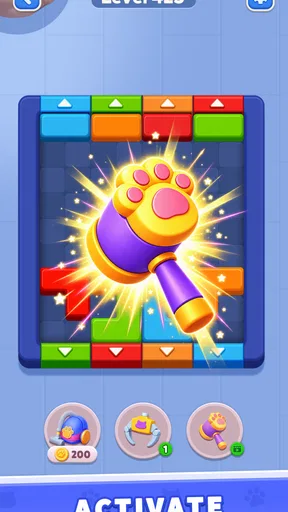
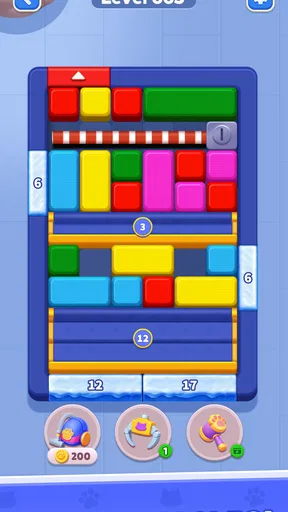
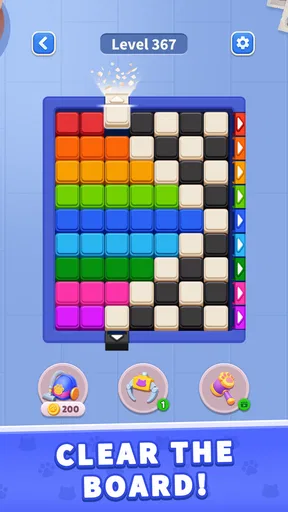
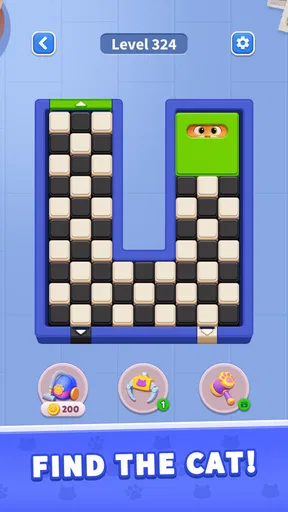
 Analysis by AppCompare
I like small puzzle games best when their rules are clear enough to grasp in a moment but leave room for a satisfying little challenge. PawBlock! aims for that kind of quick play: it is a cat-themed color puzzle in which sliding and finding are central to the experience. That makes it sound more like a focused brain teaser than a broad trivia game, despite its trivia classification. My main reservation is that the available description gives only a narrow view of how the puzzles work, so I would approach it as a promising casual diversion rather than assume it has a deep progression system.
What to check before settling in
For a first try, I would pay attention to whether the board makes its objective clear before I start moving pieces. That is more useful than judging the game by a quick win or loss: a visual puzzle feels fair when I can understand what I am trying to do and connect each move to that goal. If I find myself guessing because I cannot tell what the board is asking, that is a practical sign the presentation may not suit me, even if the underlying idea sounds appealing.
I would also test it in the setting where I expect to play. A phone held in one hand during a short wait is a different experience from a tablet on a table, especially when the task involves scanning colors and tapping precise pieces. A brief check can tell me whether I can inspect the board comfortably and whether I naturally pause to plan. If I have to keep repositioning the device or squinting at details, a larger screen or another kind of puzzle may be a better fit.
That makes it a plausible choice for a quiet queue or a few spare minutes at home, but not necessarily for every kind of break. If I am interrupted often, I would want to see whether returning to the same board feels straightforward rather than demanding that I remember a complicated chain of moves. I would not assume how saved progress works; I would simply test whether the game fits my stop-and-start routine before relying on it during a commute or between appointments.
A small puzzle built around sliding and spotting
The title, PawBlock!, suggests a simple premise: move pieces and locate cats. That combination can make a puzzle feel approachable without making it entirely automatic. Sliding asks you to think about where pieces will go, while searching encourages you to scan the board rather than move at random. In a short session, those two actions can provide a pleasant change from trivia games that depend on recalling facts or word games that ask for the same kind of pattern recognition repeatedly.
UniRise Studio is the developer, and the game is free to download. It is rated for Everyone, which makes it a reasonable candidate for shared, low-pressure play, though the rating alone does not tell me how demanding later puzzles become. The current version is 1.5.0, and the minimum operating system is 7.0. Those details are useful when checking whether an older device is compatible, but they do not tell you how smoothly the game runs on a particular phone or tablet.
There is a mismatch worth keeping in mind: the game is categorized as trivia, while its name and summary point toward a visual sliding puzzle. If you are browsing for general-knowledge questions, this may not be what you expect. If you want a compact puzzle that appears to involve rearranging colored blocks and spotting cats, the premise is much closer to what the title promises. I would judge it by that hands-on puzzle idea, not by expectations set by a conventional quiz app.
Worth Reading Before You Choose

EA SPORTS FC Mobile 26 Is a Bigger Football Game, but It Takes Time

Flipboard Shows What News Apps Must Do Beyond the Feed

Switching to Android Auto Means Rethinking Your Driving Routine

Google Calendar Makes a Crowded Week Easier to Manage

Ludo King Makes the Most of the Minutes Between Plans

Baby Panda World Brings Quick Play to Modern Phones, but Its Game Library Feels Busy
Best when you have a few spare minutes
I can picture using this between errands or while waiting for a friend: open the game, focus on one board, and put it away when attention shifts. A sliding puzzle suits that stop-and-start rhythm better than a timed quiz or a long narrative game, because the immediate task is visible and self-contained. That is an inference from the stated concept rather than a promise about level length, so I would still check how a session feels before relying on it as a dependable two-minute break.
A useful way to approach a visual puzzle like this is to pause before the first move and identify the target. If the goal is to find a cat, look for the visual clue first; if the challenge is arranging colors, work out which pieces are blocking the desired position. That small habit can prevent a string of unplanned slides. It is especially helpful on a phone, where a tap made in haste can send a piece somewhere you did not intend.
Another practical tip is to treat each move as a test rather than a commitment. Before shifting a block, ask what space it will leave behind and whether that opening helps you reach the target. This is a general solving strategy for sliding puzzles, not a claim about a special undo button or hint system. It makes the game more thoughtful and can also show quickly whether its style suits you: some players enjoy planning several moves, while others prefer puzzles that reward fast reactions.
Progress without assuming a pressure system
When people ask whether a puzzle gets harder, whether there are timers, or whether mistakes cost anything, those are fair questions because they shape the whole mood of play. I would not infer a timer, lives, a streak, a leaderboard, or a particular level structure from the title alone. The safe expectation is a color-and-search puzzle concept; details such as how challenge escalates or what happens after a wrong move need to be judged in the game itself.
That uncertainty matters for anyone who dislikes pressure. A sliding puzzle can be relaxing if it lets you experiment freely, but the same basic mechanic can become tense if it limits moves or runs a clock. Before settling into a long session, I would try a few early boards and notice whether the game lets me think at my own pace. If it does, it could work as a calm mental break; if it emphasizes speed or penalties, someone looking for a soothing pastime may prefer a more explicitly untimed puzzle.
For steady progress, I would avoid trying to solve the entire board in one burst. Find the most obvious cat or color clue, make the smallest useful adjustment, and reassess the layout. That approach keeps the visual field manageable and reduces the frustration of moving several blocks only to lose track of the original goal. It is a particularly useful workflow on smaller screens, where the board may be harder to inspect at a glance than it would be on a tablet.
How it compares with familiar alternatives
Compared with a standard trivia quiz, PawBlock! appears to lean on visual reasoning rather than stored knowledge. That is a meaningful difference if you want to play without feeling tested on facts you may have forgotten. Compared with a classic sliding-number puzzle, the cat-and-color framing sounds more playful and less abstract. I would choose a traditional number puzzle when I want a clearly defined arithmetic-like arrangement challenge, and a quiz when I want questions with definite factual answers; this game makes most sense for someone drawn to scanning and rearranging a board.
It also seems better suited to solo attention than to conversation-heavy party play. You might pass the phone around and discuss a move, but there is no basis for assuming a multiplayer mode or shared score. For a family waiting at a restaurant, the Everyone rating and visual premise make it easy to consider, while the actual suitability will depend on whether children can understand the board and whether the puzzles remain engaging for adults. The age label is a starting point, not a guarantee that every player will enjoy the same difficulty.
If you are choosing among casual games, consider what kind of friction you are willing to accept. A color puzzle can be less demanding than a fast action game, but visual searching may still feel fiddly on a small screen. Players who want a story, character collection, competitive rankings, or a substantial campaign should look elsewhere unless they confirm those elements are present. PawBlock! is most compelling as a focused, lightweight puzzle idea, not as a substitute for a sprawling game.
Ratings, spending, and what they establish
The game has a 4.9 average from over 600 ratings, with more than 30 written reviews, and it has passed 10,000 installs. Those figures indicate that people have tried it and that the overall reception is very positive, but they cannot tell me whether the controls will suit your device or whether the puzzle style will hold your interest. I would use the rating as a reason to give the concept a look, not as proof that every part of the experience is flawless.
It is free to download, which removes an upfront purchase decision. That is the clearest verified spending fact I can offer. I would not treat “free” as proof that every part of the game is free, nor assume the presence or absence of advertising, optional purchases, subscriptions, or paid advantages without checking the purchase details shown on your device. If you are cautious about accidental spending, review those prompts before handing the phone to a child and use the device’s purchase controls as appropriate.
That distinction is also important when thinking about fairness. A puzzle based on sliding and spotting does not automatically imply a competitive mode, and a strong rating does not establish that paid items affect results. I would not describe the game as pay-to-win or claim that spending is irrelevant; neither conclusion follows from the confirmed purchase information. If competition becomes important to you, first see whether the game actually offers shared scores or rankings, then check whether any purchase is tied to progress.
Who should try it, and who may prefer something else
I would recommend giving it a try if you enjoy visual puzzles, like cats, and want a game whose central idea sounds easy to understand without requiring trivia knowledge. It may also suit someone who prefers to solve quietly at their own pace, provided the actual play does not impose time or move pressure that they dislike. Since downloading costs nothing, it is a low-commitment way to see whether the sliding-and-searching mix clicks for you.
I would skip it if you specifically want a conventional trivia experience, because the title points to a different kind of challenge. I would also look elsewhere if you need confirmed offline play, accessibility options, detailed difficulty controls, or a particular progression system; those are important selection criteria, but they cannot be inferred from the basic description. Rather than rely on assumptions, open the game and check its controls and settings before investing time, especially if you have a specific accessibility need.
For a younger player, the all-ages rating is reassuring in a broad sense, but I would still supervise the first session if the device belongs to a child. That gives you a chance to see whether the instructions are clear and whether any in-app prompts invite a purchase. For an adult looking for a brief break, the more relevant question is whether the puzzles provide enough variety to stay interesting after the first few boards. I would sample it in short sessions before deciding whether it deserves a place among your regular games.
A measured trust verdict
My overall view is cautiously positive. The core idea—sliding colored pieces while looking for cats—has an immediate, friendly appeal, and the game’s free download makes trying it straightforward. The high average rating and its growing audience add confidence that it has found players who enjoy it, though they do not replace a personal check of the controls, difficulty, and spending prompts.
The main trade-off is that the concept is clearer than the specifics. If you are comfortable exploring a compact puzzle without knowing in advance how its challenge develops, PawBlock! is worth a look. If you need firm answers about timers, hints, offline access, purchase options, or competitive features before installing, inspect those parts directly rather than treating them as guaranteed. I would recommend it to a friend who wants a light visual brain teaser, while steering a quiz fan or someone seeking a fully documented competitive game toward a better-matched alternative.
Pros
- Simple drag-and-drop controls make it easy to start playing.
- Short levels work well for quick breaks.
- Sorting colors offers a relaxing
- low-pressure puzzle experience.
- The core rules are easy to understand without a long tutorial.
- Gradually trickier arrangements can keep puzzle fans engaged.
Cons
- Color-based gameplay may be difficult for players with color-vision deficiencies.
- Later puzzles may feel repetitive if you prefer varied mechanics.
- Some levels can require trial and error to find the right sequence.
- Frequent interruptions or ads may disrupt a relaxed session.
- The straightforward gameplay may offer limited appeal to players seeking a story.
FAQs for PawBlock! - Sort Color Puzzle
What is PawBlock! - Sort Color Puzzle?
PawBlock! - Sort Color Puzzle is a casual puzzle game built around sorting colored blocks into matching groups. Its straightforward premise makes it easy to understand, while arranging pieces in the right order can add a little planning to each level. It is suited to short play sessions, though the exact mechanics, level variety, and available features may differ depending on the version you download.
Is PawBlock! - Sort Color Puzzle easy for beginners to play?
The color-sorting concept is generally approachable for newcomers: you look at the pieces on the board and work toward organizing matching colors. Early stages in games of this type typically help players learn the rules before introducing trickier layouts. Later puzzles may require more careful moves, so the game can offer a gradual challenge rather than demanding advanced puzzle experience from the start.
Can I play PawBlock! - Sort Color Puzzle offline?
Offline availability can depend on the game build and on features such as advertisements, daily rewards, or online events. Basic puzzle levels may work without a connection in some versions, but it is best not to assume that every feature will be available offline. Check the store listing and try launching the game with your device disconnected if offline play matters to you.
Is PawBlock! - Sort Color Puzzle free to download, and does it include ads or in-app purchases?
The price and monetization details can vary by platform, region, and release version. Before installing, review the Google Play or App Store listing for the current download price, in-app purchase information, and any advertising disclosures. If the game offers optional purchases, check what they provide and whether they are necessary for progress; parental controls can help manage spending on a shared device.
What should I check before downloading PawBlock! - Sort Color Puzzle?
Confirm that the listing is for the intended game and supports your Android or iOS device, then review its latest update date, developer details, permissions, and user feedback. Also check the required operating-system version and available storage. Ratings and features may change as the game is updated, so the official store page is the most reliable source for current compatibility and privacy information.


